

Description
Play Golf One Course a Day
Overview
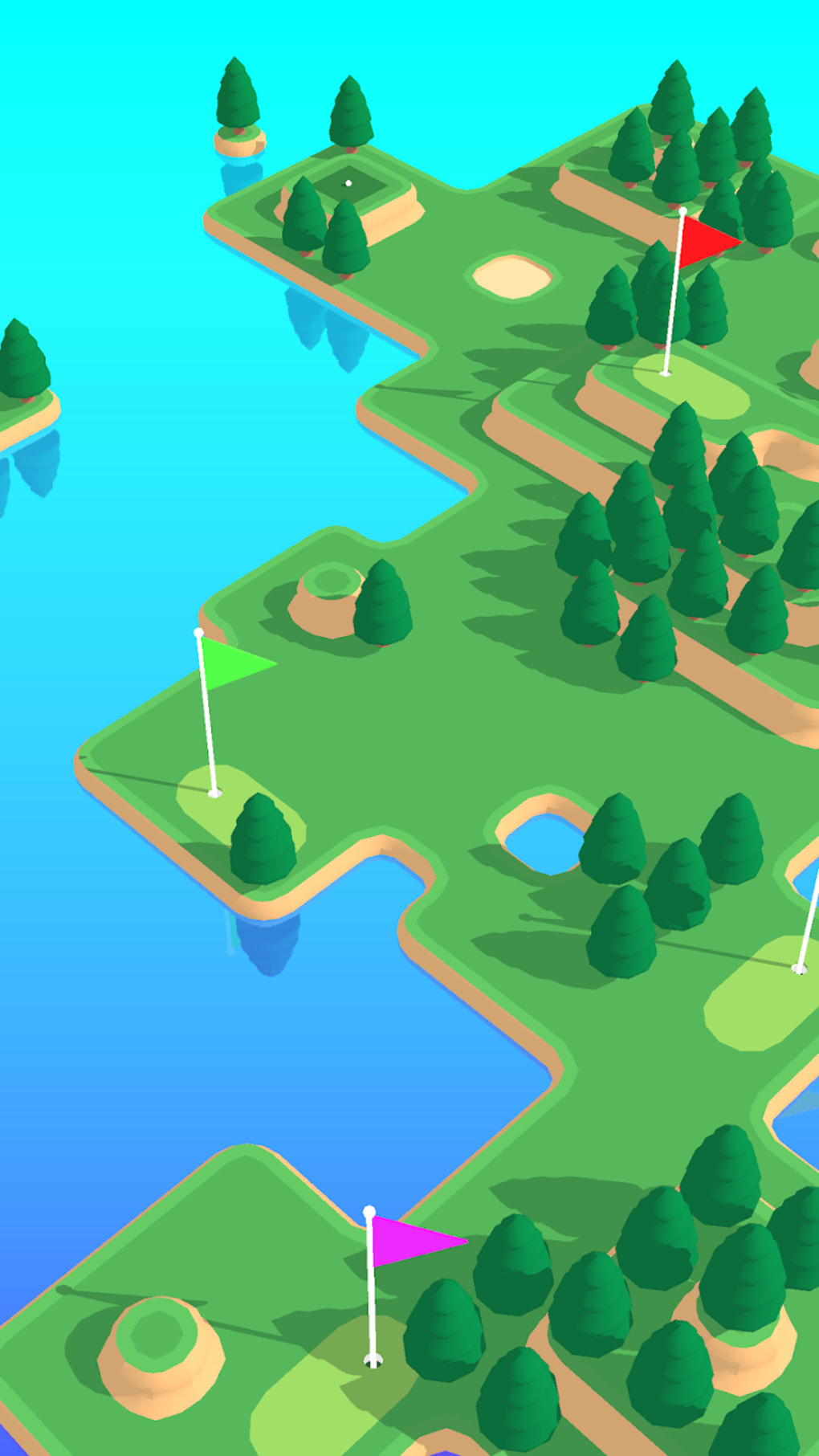
Coffee Golf is a daily sports game designed for casual players seeking short, engaging gameplay sessions. Developed by Shallot Games, a US-based studio, the game challenges users to complete one golf course per day, offering a structured yet relaxed way to enjoy the sport. Each course features five holes marked by colorful flags, requiring players to achieve the lowest possible stroke count to succeed. The game’s core concept revolves around bite-sized entertainment, making it ideal for individuals with limited free time. It targets time-strapped users who want to unwind between tasks without committing to lengthy gaming sessions. Real-world use cases include quick breaks during work hours, commuting time, or evening relaxation. The game’s daily reset ensures consistent engagement, encouraging users to return each day for a new challenge. While it does not support extended play, it provides a sense of accomplishment through daily progress tracking. The developer did not provide additional details about the game’s design philosophy or long-term goals. The focus remains on simplicity, accessibility, and repeatable short-form gameplay.
Key Features & Capabilities
- Daily Course Challenge – Players unlock one new golf course each day, promoting consistent engagement and routine-based gameplay.
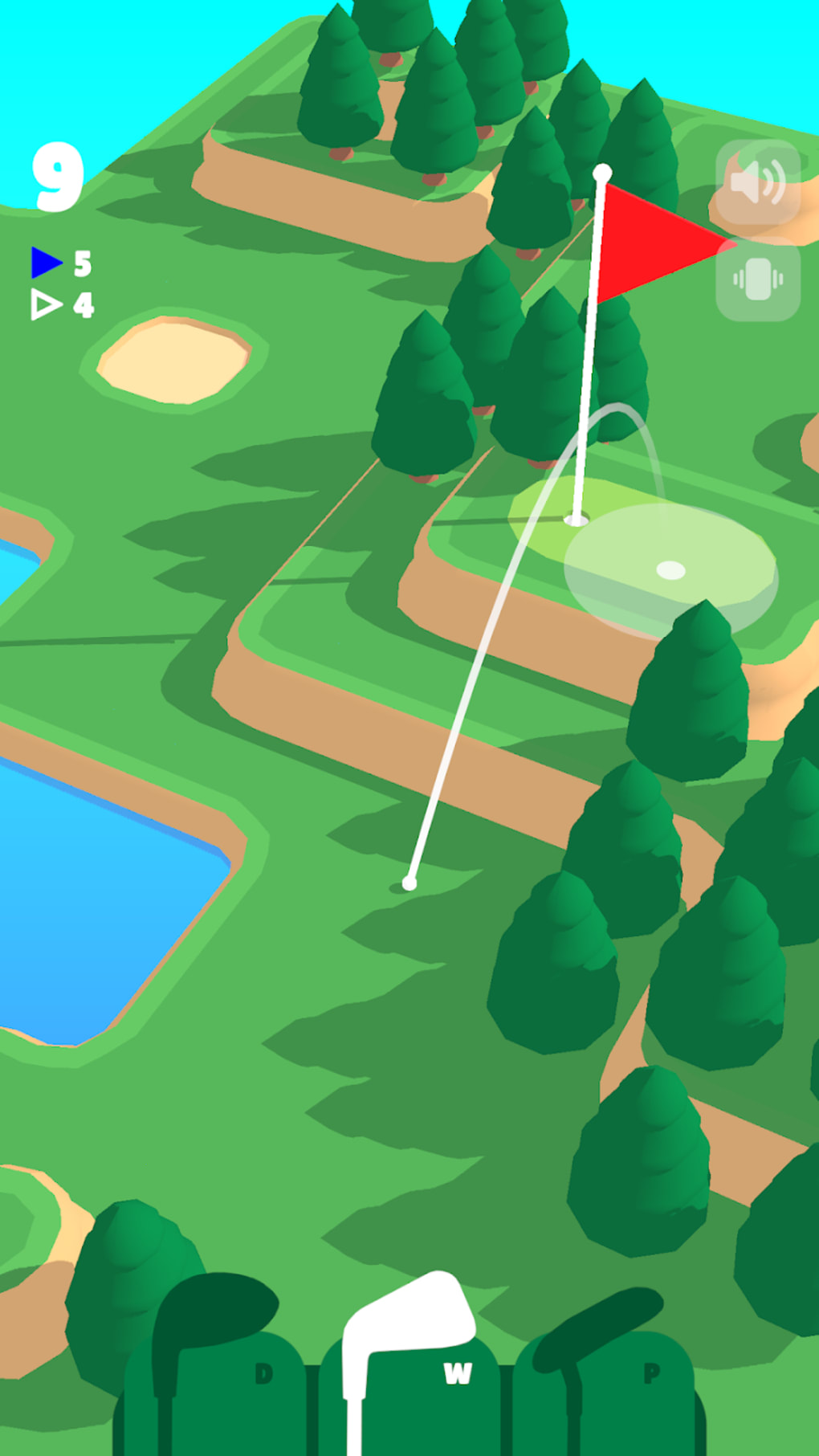
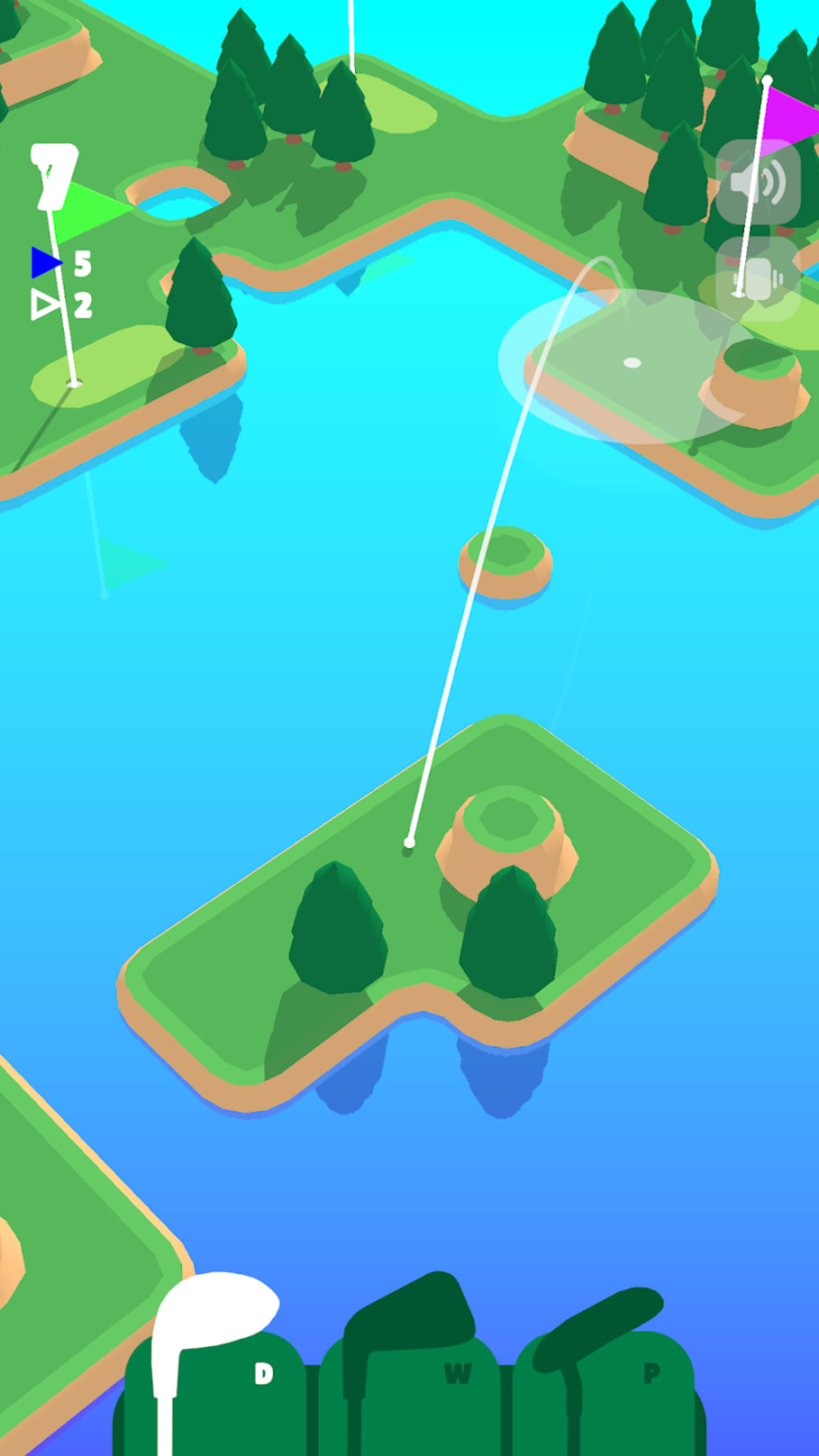
- Three Club Types – The game includes the D (long-distance), W (medium-distance), and P (short-distance) clubs, each suited for different terrain and shot types.
- Simple Touch Controls – Users tap and hold to aim, with a visual white line indicating trajectory. The arching line appears only when using D or W clubs.
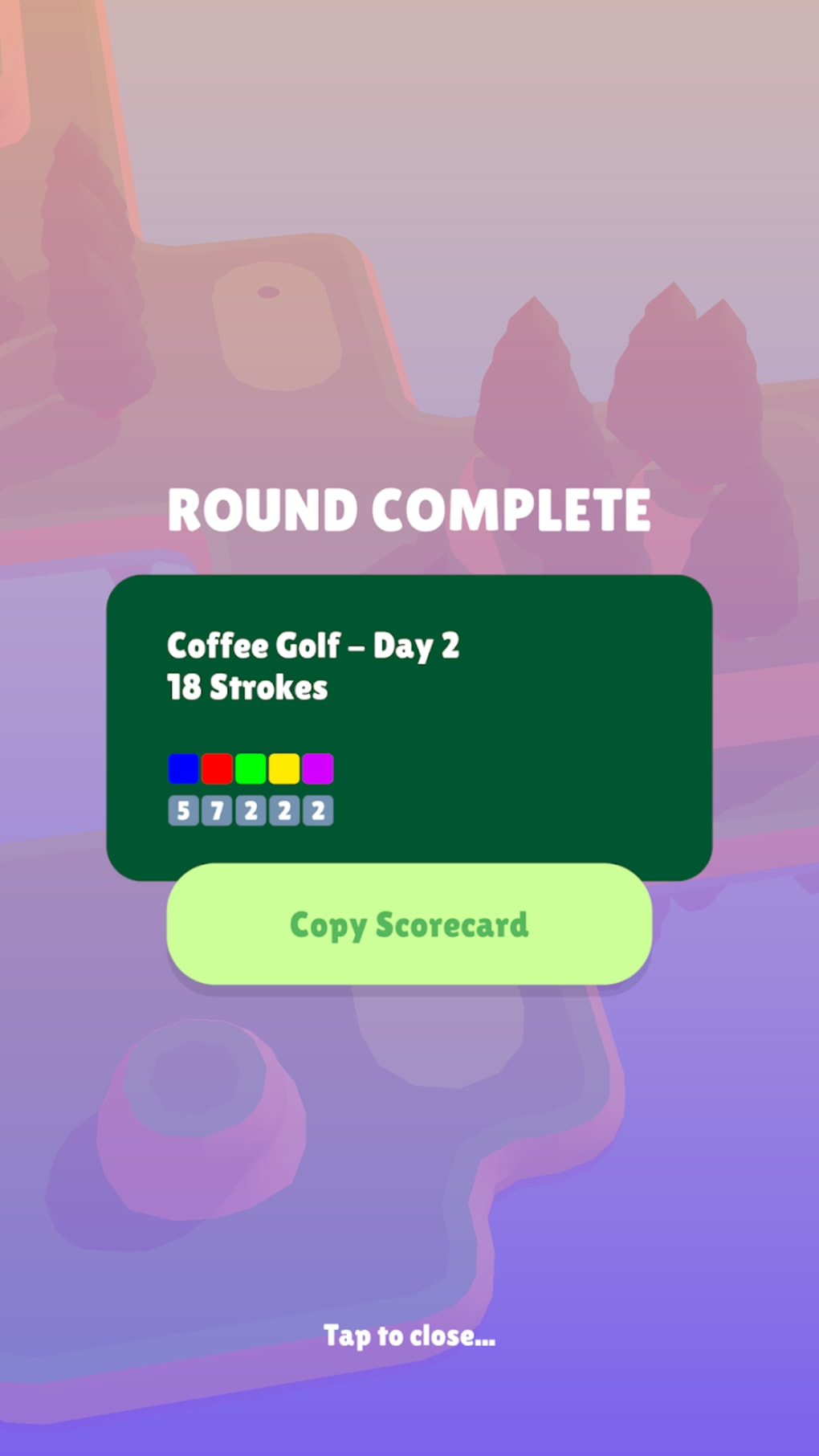
- Score Tracking & Sharing – After completing a course, players can view their stroke count and share results with friends via copyable scores.
- Replay Options – One free replay is available on the first day. Subsequent replays require watching a video ad or making a purchase.
These features support efficient gameplay, allowing users to complete a course in minutes. The D and W clubs are ideal for navigating uneven terrain, while the P club excels on flat ground. The visual aiming system simplifies shot precision, reducing the learning curve. The score-sharing function adds a social element, enabling friendly competition. Replay mechanics encourage mastery without overwhelming users. The game’s structure is optimized for micro-gaming, fitting seamlessly into short breaks throughout the day. The developer did not specify additional features beyond those listed.
User Interface, Workflow & Performance
The user interface is minimalistic, focusing on clarity and ease of navigation. The main screen displays the golf course, clubs, and a score counter, with intuitive touch-based controls. Players select a club, then aim using a drag-and-release mechanic. The visual trajectory line helps predict shot direction and distance. The workflow is linear: select club → aim → release → view result → repeat if needed. This streamlined process ensures minimal friction. The game’s performance is consistent with typical mobile applications of its type. The developer did not specify resource usage details. General observations suggest stable frame rates during gameplay, with no reported crashes or lag. The game runs smoothly on standard mobile devices. Stability is maintained across multiple attempts, though performance may vary depending on device capabilities. The developer did not provide information on CPU or RAM behavior. The experience remains responsive and predictable across sessions.
Compatibility & System Requirements
Coffee Golf is available on both iOS and Android platforms. The software version is 1.0.0, with a file size of 50 MB. The developer did not specify exact system requirements. Compatibility information is limited to the supported operating systems. No additional hardware specifications were provided. The installation size is relatively small, suggesting low storage impact. The game is designed for mobile devices, and its lightweight nature implies broad accessibility. The developer did not list minimum processor speed, RAM, or graphics requirements. Platform compatibility information is partially provided, but detailed technical specs are unavailable.
Pros and Cons
Pros
- Designed for short, daily gameplay sessions
- Simple, intuitive touch controls
- One free replay on the first day
- Score sharing for social engagement
- Small file size (50 MB)
Cons
- Replays require ads or in-app purchases after the first day
- Only one course per day is available
- No option to play multiple courses in a single session
- Limited replay flexibility
- Game does not support extended play sessions
FAQ Section
Is Coffee Golf available on both iOS and Android?
Yes, Coffee Golf is compatible with both iOS and Android devices.
Can I play multiple courses in one day?
No, the game releases one course per day. You cannot access additional courses until the following day.
Is the game completely free to play?
Yes, Coffee Golf is free to download and play. However, additional replays require watching a video ad or making a purchase.
Do I need an internet connection to play?
The game can be played offline after initial download. However, online features such as score sharing may require an internet connection.
How often are new courses released?
A new golf course is unlocked each day at the same time, encouraging daily engagement.
Final Thoughts + CTA
Coffee Golf delivers a focused, rewarding experience tailored for casual players with limited time. Its daily course format promotes consistency without demanding long sessions. The simple controls and visual aiming system make it accessible to beginners, while the scoring system adds a layer of challenge. The inclusion of a free replay on the first day is a thoughtful touch. While replay limitations may frustrate some users, the game’s design philosophy is clear: short, satisfying bursts of fun. It excels as a mobile utility for quick mental breaks. For those seeking a lightweight, daily golf challenge, Coffee Golf stands out. Download Coffee Golf now.
Guides & Tutorials for Coffee Golf
How to install Coffee Golf
- Click the Preview / Download button above.
- Once redirected, accept the terms and click Install.
- Wait for the Coffee Golf download to finish on your device.
How to use Coffee Golf
This software is primarily used for its core features described above. Open the app after installation to explore its capabilities.
User Reviews for Coffee Golf 0
No reviews found





